HOW TO 3D PRINT
A VINYL RECORD
From an audio file to a disc spinning on a turntable. This is the whole process — what to prepare, what to set, and where it usually goes wrong.
Before you start
You need three things: a mono, band-limited audio file, a groove mesh generated from that audio, and a printer that can hold fine vertical detail. The printer matters less than people expect — the file preparation is where most failed prints are actually decided.
THE FULL PROCESS
- 1
Prepare the audio
Sum to mono, high-pass around 300Hz, low-pass around 5kHz, then limit gently. Anything outside that band cannot survive the groove, and leaving it in only creates distortion.
- 2
Generate the groove mesh
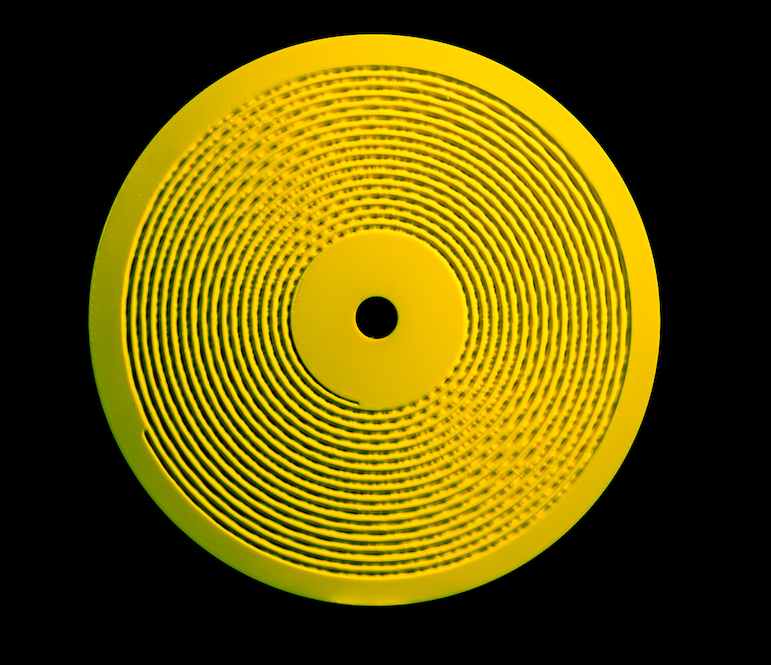
Amplitude becomes lateral displacement; time becomes the spiral. Choose groove pitch first — wider pitch means cleaner playback and less runtime per side. Add a lead-in spiral and a locked run-out groove.
- 3
Orient the disc flat on the plate
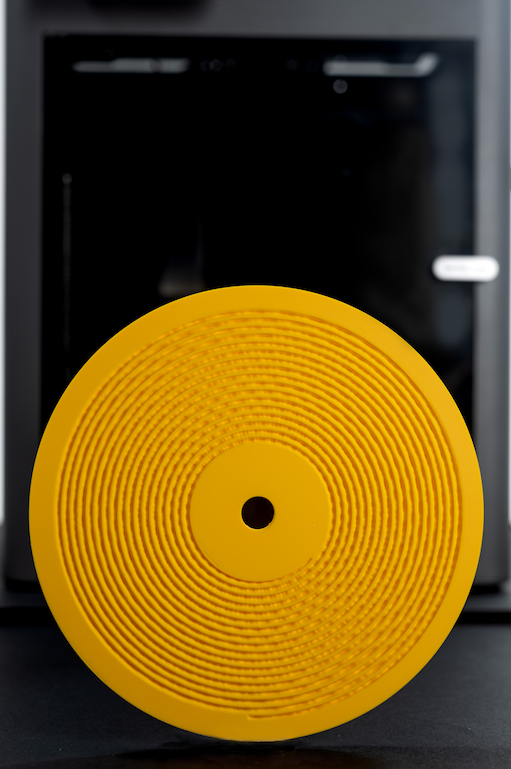
Grooves must face up, disc flat, no supports. Any tilt puts the groove on a stair-stepped diagonal, which is the single most common cause of an unplayable print.
- 4
Slice at low layer height
0.08mm on FDM, 0.03–0.05mm on resin. Slow the outer wall speed right down, disable ironing, and keep the top surface at 100% so the groove wall is solid.
- 5
Print and cure
Expect 3–5 hours. Resin prints need a full wash and cure; leave the disc flat under light weight while it finishes so it does not warp.
- 6
Deburr and play
Run a soft brush over the groove, blow out debris, and clear the groove entry. Play at 45 RPM with a conical stylus at standard tracking force.
WHAT TO EXPECT
Print time
3–5 hours
Audio per side
3–4 min
Layer height
0.08mm
- Wider groove pitch trades runtime for playback clarity — start wide.
- A warped disc sounds worse than a noisy one; keep the print flat.
- Print a 30-second test disc before committing to a full track.
- Printing a recording you do not own is still copying it — sort rights first.
COMMON QUESTIONS
Can a 3D printer really print a vinyl record?
It can print a playable record-shaped disc. It is not vinyl — the material is resin or PLA, and the bandwidth is far narrower than a pressed record. The groove is real, and a normal turntable stylus reads it.
How long does it take to 3D print a record?
Roughly 3–5 hours for a single-sided disc at 0.08mm layer height on FDM. Resin printers are usually faster for the same disc because the whole layer cures at once.
How much audio fits on a 3D-printed record?
Typically 3–4 minutes per side on a 12cm disc at 45 RPM. Wider groove pitch is needed for printable resolution, so you fit less audio than a pressed record of the same size.
Will it damage my stylus or turntable?
A clean, deburred, flat print played at standard tracking force will not damage a stylus, but printed discs are more abrasive than vinyl. Many people keep a cheap conical cartridge for printed discs.
Next: the exact printer settings and why most record STL files don't play.
Skip the groove maths
Kräftsound turns a track into a print-ready 3MF disc file — groove geometry, printer profiles and licensing handled for you.